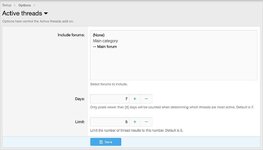

Displays a widget of current active threads.
Features:
All phrases start with activethreads_ for your convenience.
Creating the widget:
Go to Admin control panel -> Appearance -> Widgets
Click Add widget
Select Active threads and click the Add widget button
Widget key = active_threads
Title = {leave blank}
Display positions = Forum list: sidebar
Cron entry:
After installing the add-on and creating the widget, you will want to run the Active threads cron entry manually the first time. Or just wait for the top of the hour to see the widget.
Questions and answers:
Q: I just installed the add-on.Q: When does the Active threads widget get updated?
A: Once an hour.